
Daemon: Tokyo 2099
Overview:
First person fps
Competitive Multiplayer
15 person team
Unreal Engine 5
Developed over 4+ months
Secured 2nd place and a $15,000 prize at the Collegiate Games Competition (CGC), standing out among teams from leading universities across the country as one of Michigan State University’s two representatives.
Fitting the Constraints
Creating a competitive FPS map for a game with unique mechanics that create constraints on pathing and line of sight
“Gameplay First Design”
The most important thing aspect of competitive shooters is that geometry is meticulously placed to ensure that players know where all obstacles are and where each path leads to.
Making sure that sightlines are balanced and objectives were easy to reach was at my upmost priority when designing this level.
Research
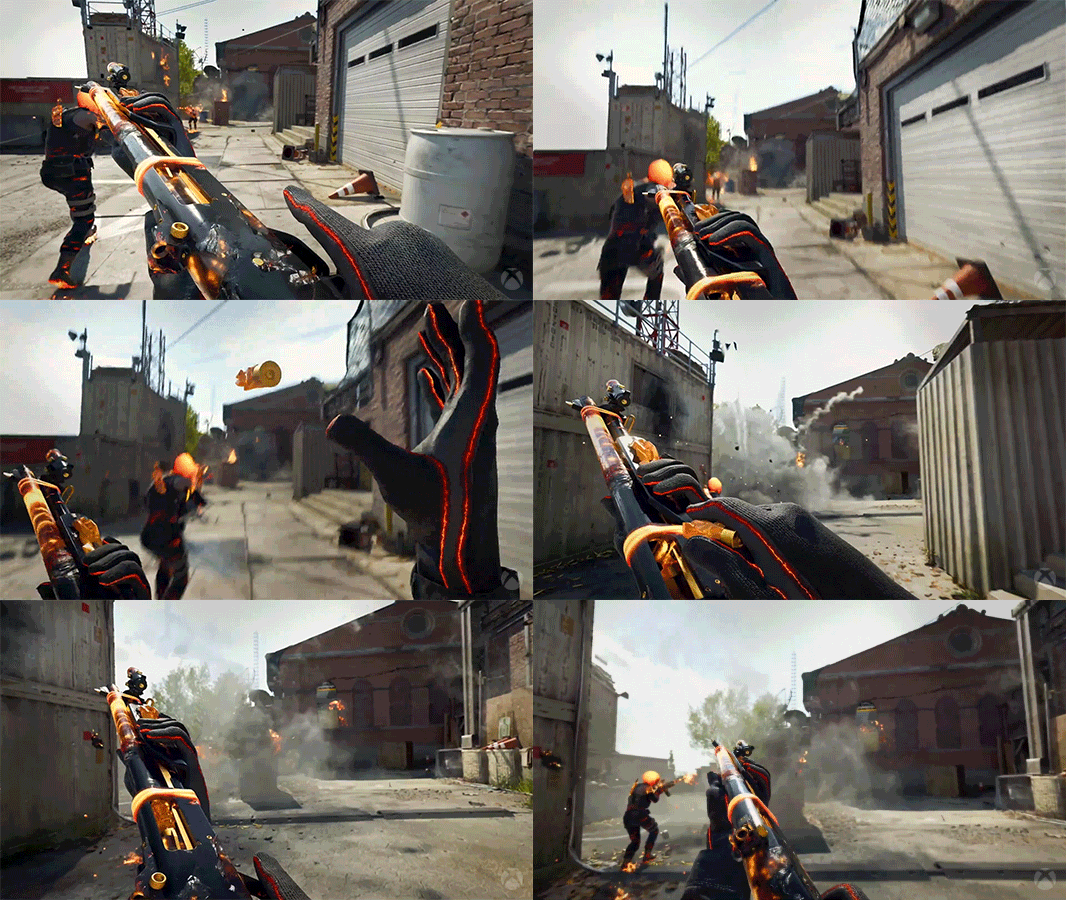
Whenever I start working on a new project I do an analysis on similar games of that genre. Call of Duty and Valorant were two games that I already had a lot of experience playing and where most of my inspiration came from.
Took a lot of notes asking myself questions like:
What is the hook of this level?
How does the level challenge players?
What kind of playstyles do different maps support?
What are some common elements between maps?
Documentation
Before I touch anything in engine I start by creating a design doc to try answer all of the questions and problems that I have so I can communicate to my team my thinking.
Figma Board Controls: (LMB + Drag) Move, (Ctrl + Scroll Wheel) Zoom
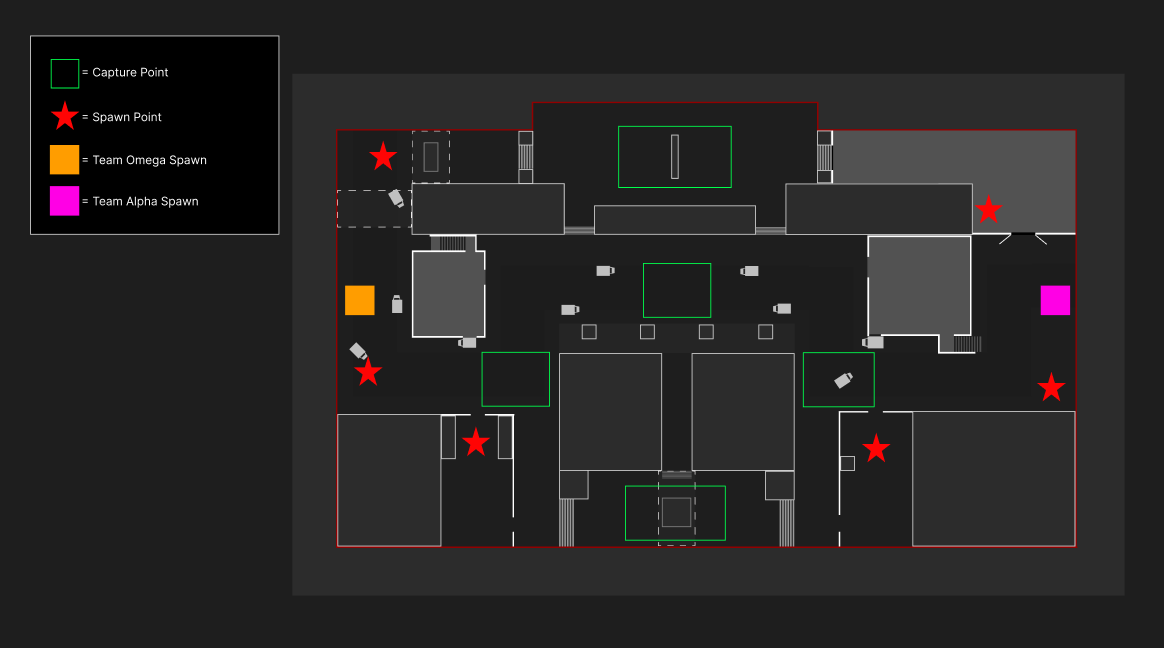
Top Down
When making my top downs I go through a lot of different iterations based off the notes that I take.
While I make make changes I am making sure to follow all the constraints for the project and ensuring that the map fits our game’s mechanics and movement.
Goals
Consistent Playtesting
Since this was a new game where we were pulling a lot of inspiration for gameplay mechanics from different IPs it was paramount to playtest and iterate often
Audience Checks
Making sure that throughout development we were constantly designing to serve our players needs while also making sure that gameplay was balanced and unique.
2D Map
My Process
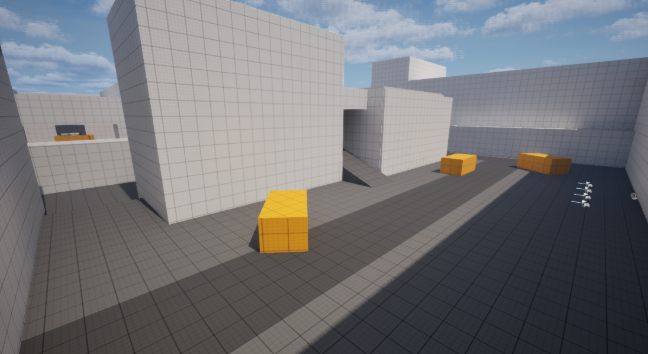
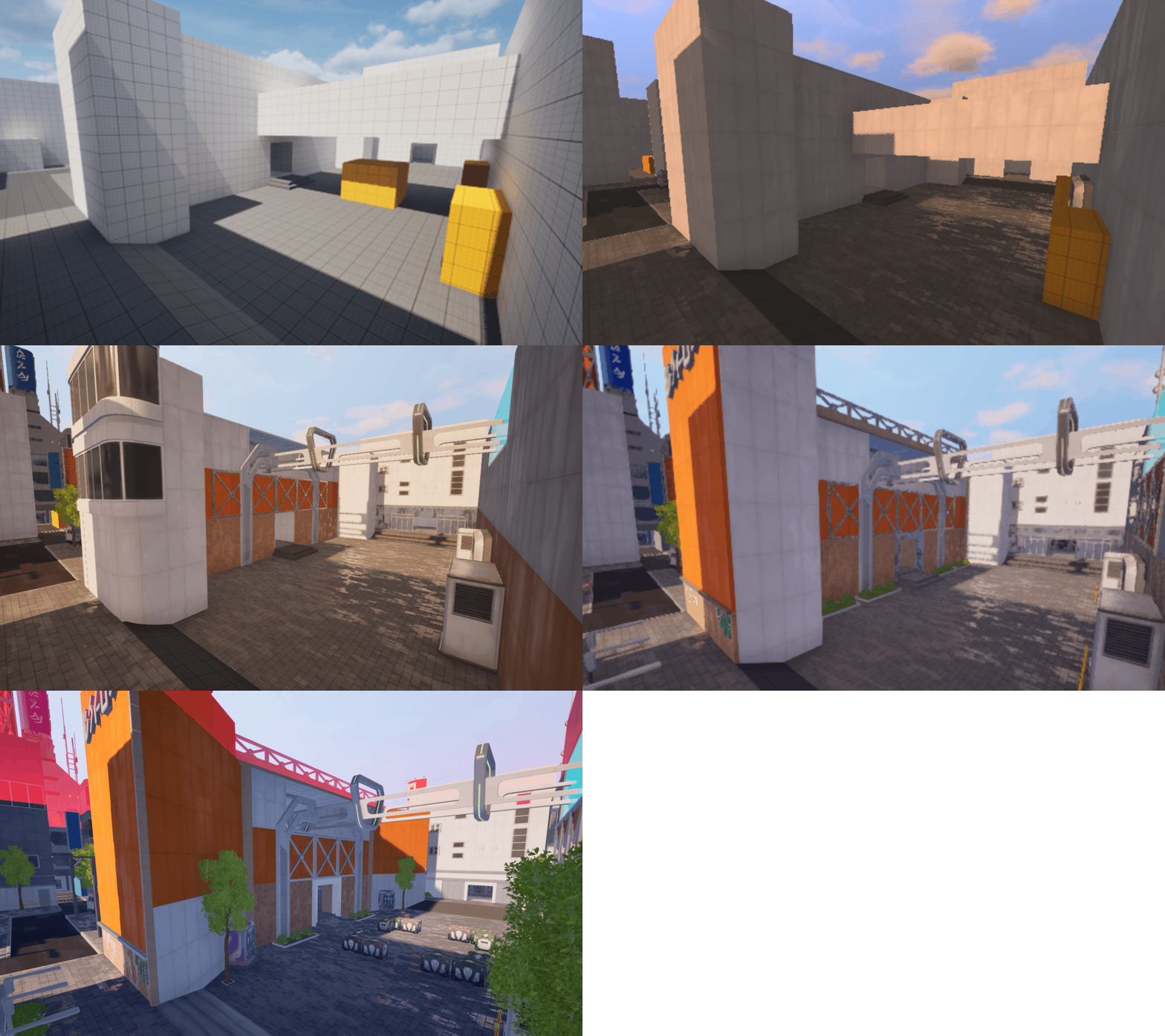
Feedback:
The feedback that I got after completing the first pass of the blockout made me realize that the map had these issues:
1. Sightlines: The map had super long sightlines that didn’t made the map super unbalanced during playtesting
2. Poor Level Flow: A lot of spaces felt super annoying to move around because it was hard to access the other lanes of the map forcing players to travel far lengths to get to an objective
3. Large Scale: During development we were utilizing an asset pack and following the metrics of that pack led to spaces feeling super big and empty
Iterations based off feedback:
1. Fixing Cover Options: I made sure to tweak the already existing cover to cover those sightlines and added new cover to help create a more balanced experience
2. Adding Pathing: To fix to level flow I added more paths for players to move through
3. Added Geometry: An easy way to fix the scale was to add more placeholder level geometry for props
Conclusion/Other Thoughts:
This project was a challenge for me because I was so used to making single player levels. Not only was I still early to making multiplayer levels I was also designing a multiplayer map for a whole new game with mechanics that were constantly changing throughout development.
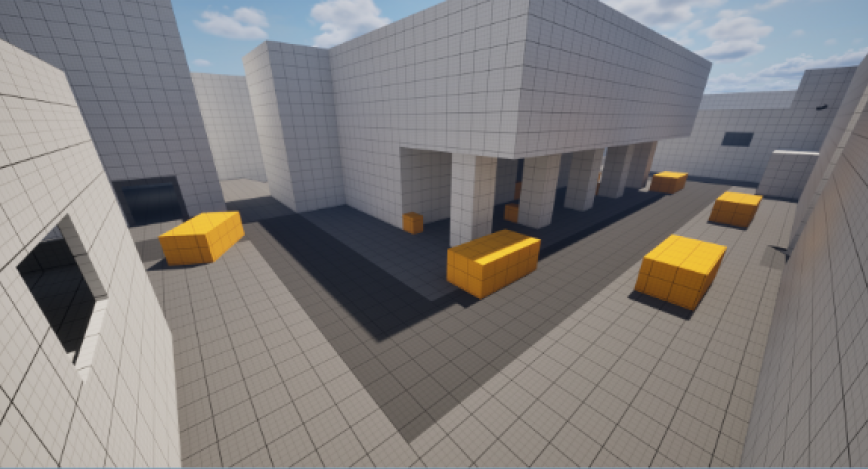
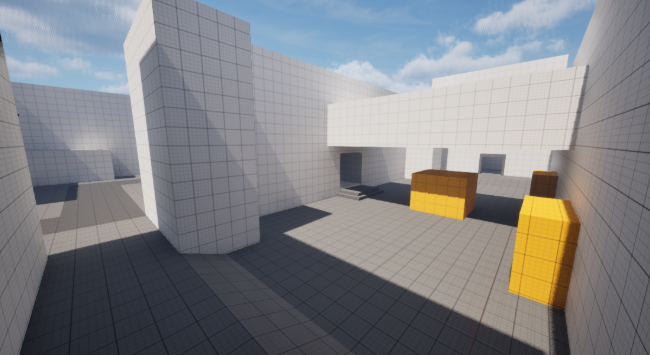
Blockout
After doing all the documentation and have communicated my design to my team I then hop into engine where I blockout the layout of the map while referencing my 2D map. I try to get something playable out as quick as possible so we can immediately test it.